
Leverage Visual Value to Enhance Meeting and Workshop Results (Facilitation Friday #102)
Facilitators should more intentionally integrate valuable visuals before, during, and after a session.

If a picture is worth a thousand words, many meetings and workshops aren’t saying much. Visuals are a critical tool to help participants make connections and meaning from what unfolds during a session.
Effective facilitation leverages the value of visuals to:
help record the conversations that occur
reinforce key points discussed
track decisions made and actions assigned
provide additional informal content
personalize the meeting or workshop environment
enable accurate sharing of what transpired
increase retention and recall
To help you with this important work, this essay explores one strategic design question, 21 visual tactics and tips, and one practical provocation about the facilitator’s role with visuals.
The strategic design thinking question
The design and facilitation of any meeting or workshop should reflect answers to this important question about visuals:
What visuals will prime participants to contribute to the session, capture and enhance the discussions as they occur, make it easier to share output with non-participants, increase retention and recall of relevant content, and facilitate follow-up and action?
I often pose this question to the participants themselves (either in advance or at the onset of a session). For recurring sessions such as a staff, board, or committee meeting, ask it only once, but revisit it after a number of meetings.
When appropriate, I involve participants in creating the visuals they identify as valuable. For some individuals (particularly those who prefer introversion), this provides another tangible way to contribute to the meeting or workshop. For others, it allows them to try on a new way of engaging in discussions.
The timeless tips and tactics
Here are 21 ideas and tips (in no particular order) to help you better leverage the value of visuals in meetings and workshops. Most can be modified for virtual or hybrid gatherings.
Working with a group with established norms, shared agreements, or ground rules? Prominently include them on the agenda and post them around the room, each one on its own sheet, to provide a powerful visual reminder.
Welcome people at the door or virtual waiting room for the session with an inviting visual or a running slide deck of quotes, images, questions related to the meeting or workshop, etc.
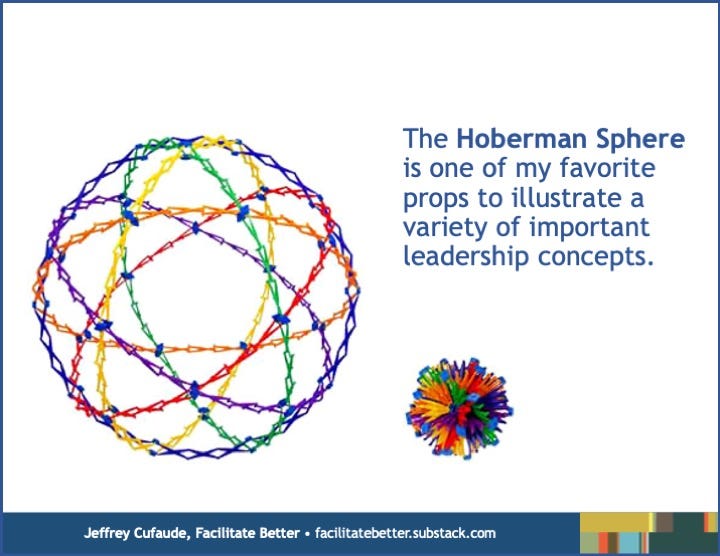
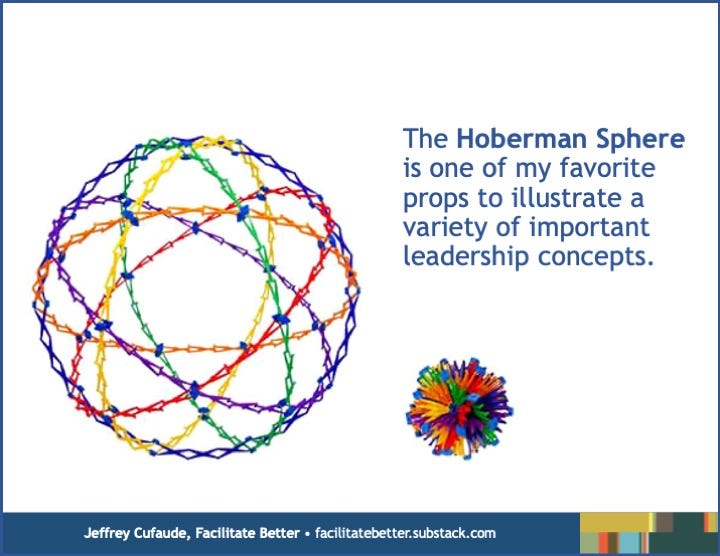
Props like the Hoberman Sphere are a powerful, but generally underutilized visual. They can illustrate a concept or key point that is difficult to understand from only listening to a description, or as a physical manifestation of a metaphor I might use to make a key point.
Projecting ideas being brainstormed in a text document that someone adds to in real-time often is more effective than flipcharting that rapid-fire output. Capture it in a large and legible font, maybe in more than one column, and go back and review all the ideas.
Want participants to contribute to the visual record of the conversations? Stock them with markers, paper, notecards, Post-Its, tape, et al, and designate places to post their contributions. Stress large and legible writing. Offer concrete examples of the contributions you seek.
Create roadmaps and timelines with key milestones (or use commercially available templates) to customize a generic space, structure how output is captured, and provide a visual you can reference throughout a planning or idea-generation session.
For a more intimate session where slides might feel too formal, consider designing some posters in advance and layering them on an easel. I use hand-drawn images or slides enlarged to poster size.
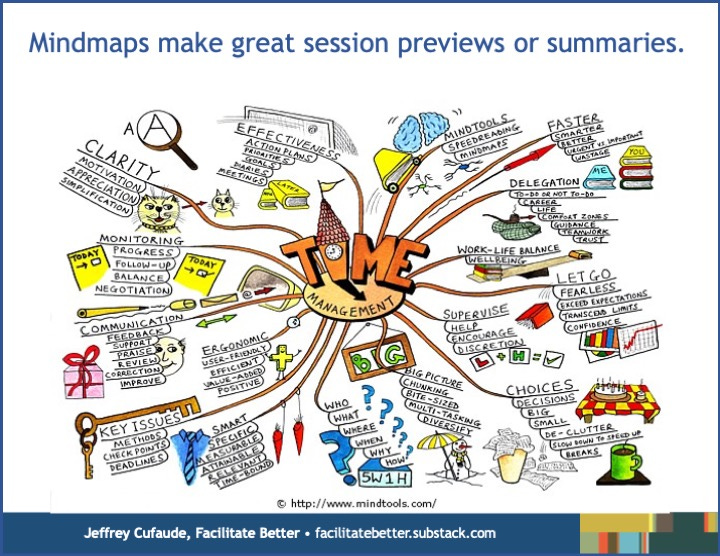
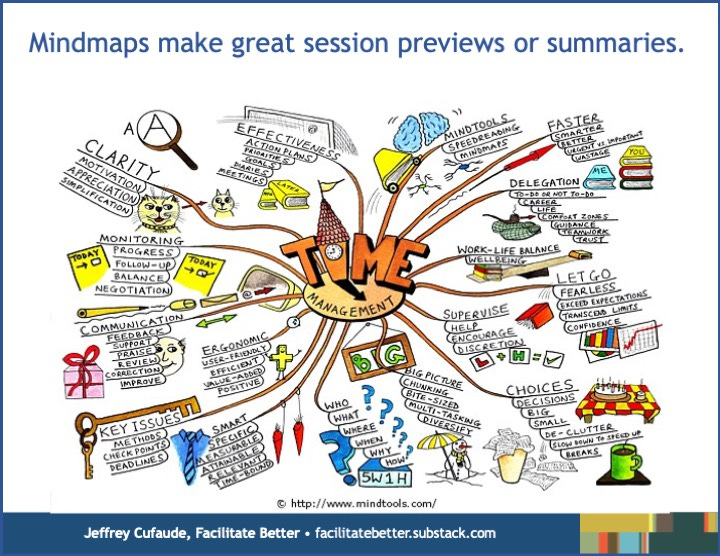
A mindmap can be a great one-page preview, notetaking sheet, or summary handout for a meeting or workshop. Done well, mindmaps also can be succinct representations of an organization’s strategic framework from a planning session.
Cover tables with newsprint and provide fine point markers, colored pencils, or crayons to enable participant notetaking and doodling during discussions.
When writing lists on flipcharts, alternate marker colors between items to make them more readable. You might also color-code different pieces of content (i.e., labeling all ideas related to the same goal with the same header in the same color).
Graphically design agendas so they support session outcomes, prompt participants to record key actions and output, and distinguish your efforts visually. Look to well-designed magazine tables of contents for inspiration.
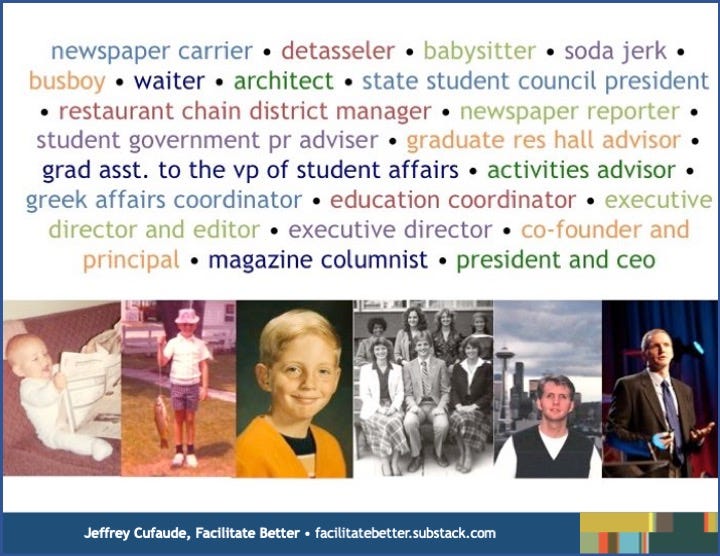
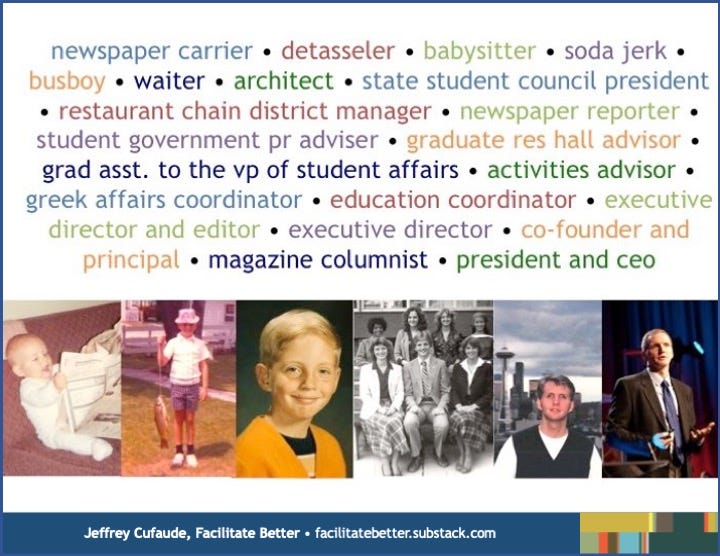
Use an unexpected and memorable visual, particularly to replace a typically bland one. I often use the image above in lieu of the more traditional (and often boring) bio in session handouts or communications. It always sparks interest and conversations.
Upgrade the quality of the images and art you include in your materials. Freepik.com is my default first stop when searching for free or inexpensive images and illustrations. If using AI images, attribute accordingly.
Cartoons provide great visuals as well as offer a humorous reinforcement of a key point or takeaway. Sites like Cartoon Bank and Cartoon Stock offer affordable licensing.
Inviting people to contribute their own visuals is a great community-building exercise: “Bring three images that represent what you associate with _______ ” (i.e. leadership, community, advocacy). You can use a variety of formats to facilitate subsequent sharing and discussion.
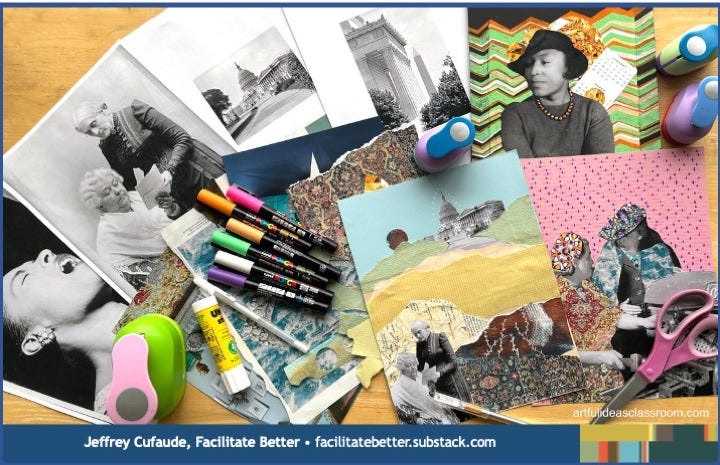
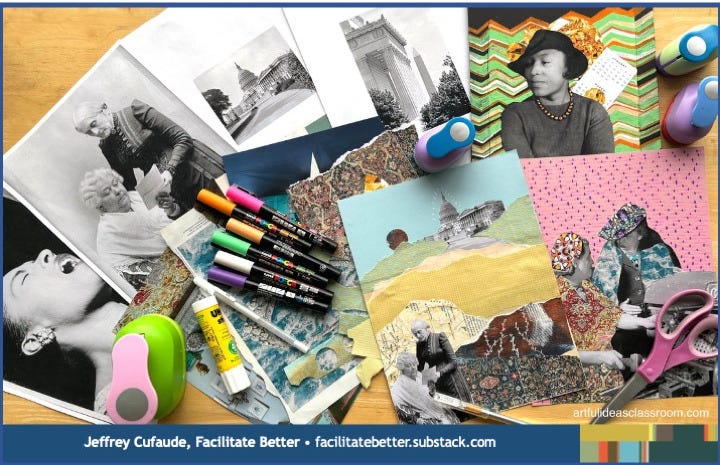
Creating collages can be a thoughtful and enjoyable individual or group activity to generate a visual poster of a key concept or the output of a meeting or planning process. Old magazines, markers, glue, tape, crayons, and posterboard are all they need to do so.
Badge and nameplate flare and design (ribbons, stickers, et al) remains one of the easiest ways to personalize an experience and facilitate informal connections and conversations among participants.
Providing visual “stations” around a room (similar to art gallery or museum exhibits) creates an informal learning environment that people can peruse during breaks or that you can use for a segment during a workshop. A station might include a poster featuring key ideas or a model from a book; the book itself for people to browse; and newsprint and markers with a provocative question posted, one for which participants post their own response.
Use color-coded slips for real-time visual polling. I always carry a healthy supply of 4x4 construction paper squares in red, yellow, and green for this purpose, assigning relevant meanings to each color for my polling efforts; i.e. no, maybe, yes.
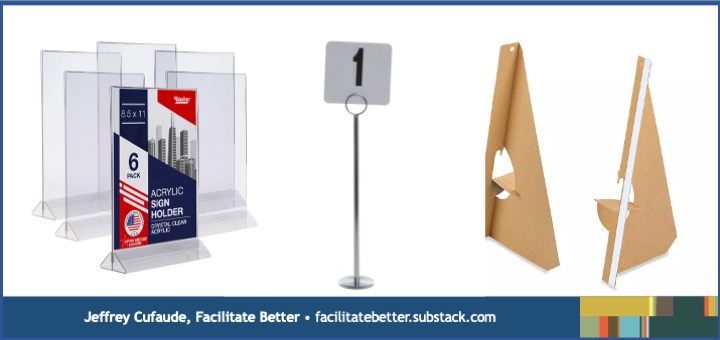
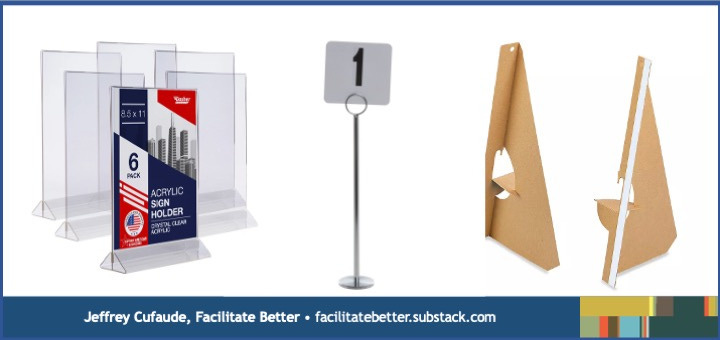
Provide visuals at tables instead of (or to augment) screen displays. This changes the visual focus and can make a setting feel more personal. Use stanchions, acrylic display stands, or cardboard easels. I often ask groups to place a green square in their stanchion when finished with an activity or a red one if stuck and needing assistance.
Keep an Ideas and Inspiration folder where you store image and layout ideas from other presentations or publications to inform your own efforts.
The provocation
Facilitating and recording are two different roles. Despite being a very common practice, facilitators who try to do both are often likely to fall short of what is possible with each.
Whenever possible, I involve others in creating an appropriate visual record for a meeting or workshop. My reasoning is two-fold: (1) every time I shift to recording information, I disengage from facilitating the conversation, (2) the participants need to own the visual record and put it in terms they will use, not me.
While I will capture limited information in real-time, my primary contribution to the visual component of a workshop or meeting comes in the slides, handouts, and other meeting materials I create and the material posted in the room to enhance the nature of the experience.
One or more volunteers could serve as recorders for a session, especially if they are not actual participants. Have a different person serve as recorder for different meeting agenda items or workshop segments to distribute the responsibility.
AI transcripts and summaries can be generated for any in-person or online meetings that are recorded. Participants should always review (and revise, if needed) any AI-generated output.
Bonus Resources
We live in a time when visual thinking, graphic facilitation, mindmapping, graphic animation videos, doodling, and infographics increasing receive mainstream attention and interest. A myriad of resources can easily be found via an online search.
Looking to get grounded in effective flipcharting and graphic facilitation? I recommend The Big Book of Flip Charts and The Graphic Facilitator’s Guide to get started.
Need a better understanding of high impact practices for slide design and presentations? Nancy Duarte, Garr Reynolds and Cliff Atkinson provide some of the best guidance in my experience.
The Grove Consultants International is a favorite source for markers, guidebooks, and their wonderful graphic guides, visual templates you can complete during various stages of a meeting or workshop.
Bottom Line
Expanded and better use of visuals can accelerate meaningful progress in almost any meeting or workshop. Facilitators should more intentionally integrate valuable visuals before, during, and after a session. Whether you approach this topic as a major goal and immediate priority, commit to continuous improvement, or a bit of both, just start playing with the possibilities. Assess the effectiveness of your efforts with an appropriate question or town on the session evaluation.
Getting in Action
Of the 21 tactics listed, select a few to incorporate into your upcoming meeting or workshop design and facilitation.
Take the agenda for a meeting or a workshop you facilitate or in which you participate and redesign it based on the concepts highlighted in this essay.
Think of a typical meeting type (strategic planning session, board meeting, staff meeting, orientation session, et al) and answer the one strategic question for this gathering. Perhaps invite a colleague to do the same and them compare your responses.
© Facilitate Better and Jeffrey Cufaude. All rights reserved.
To affordably license this content for reprint on your site or in electronic or print communications or to contact me regarding customized facilitation skills workshops or consultations, complete this form.